Preços
English

Project tracking that matches how you work

Tasks, owners, and due dates on a board you can rearrange, over a database you control instead of a tool that decided what a task is.

Fale connosco
Para
Project managerAgency leadTeam lead
Construído com
DatabaseDrag and dropTable viewFile uploadsCharts
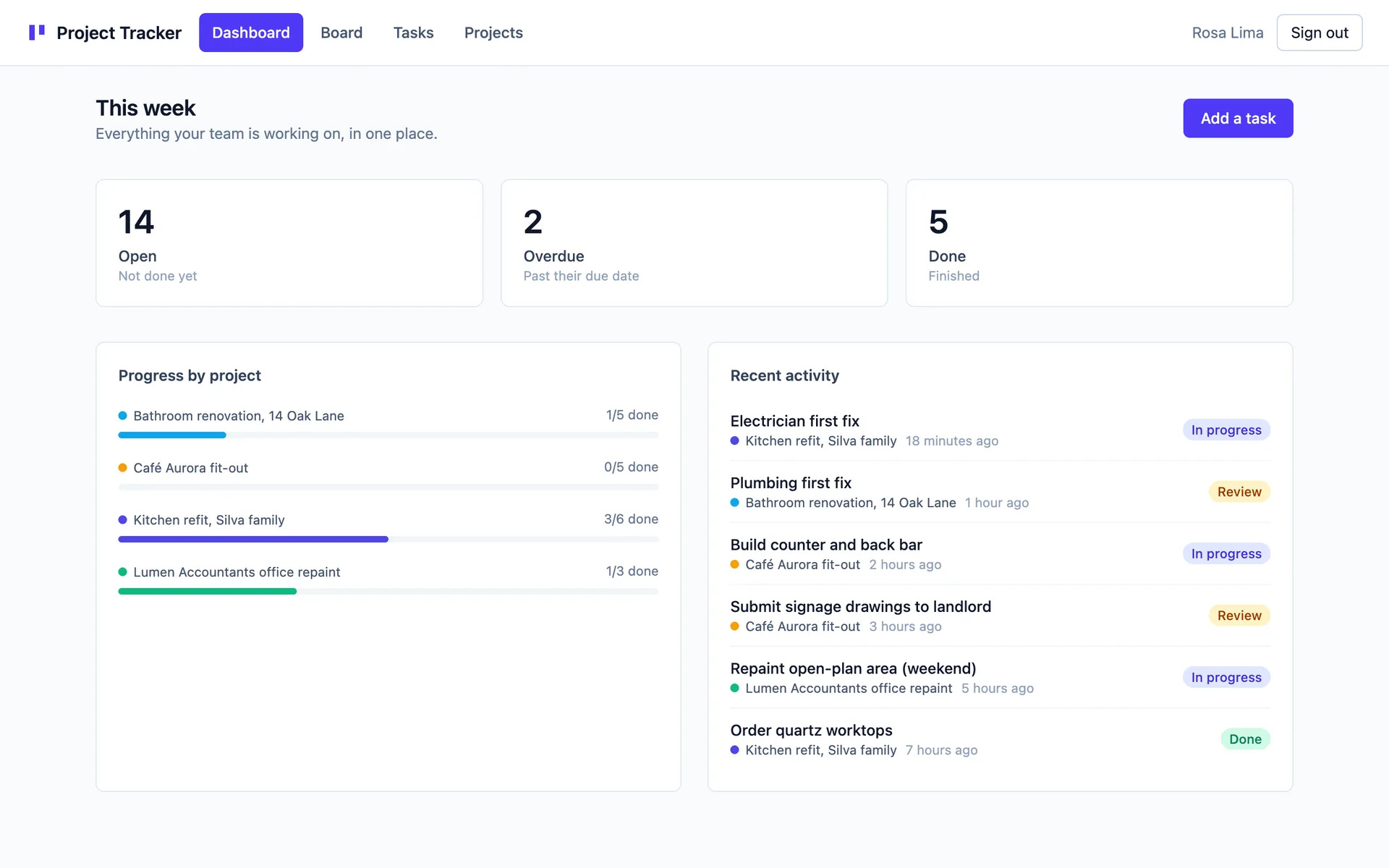
Acompanhamento de projetos, ecrã de exemplo

The board is either too rigid or too empty.

Generic project tools ask you to bend your work into their idea of a task. So half the fields go unused and the ones you need live in a comment. The team keeps the real status somewhere else, usually a chat message or a personal list. Then the status meeting exists to reconcile the two, which is an expensive way to read a board.

Build the board around your process.

You describe the stages your work actually moves through, and the fields you actually fill in. Appvise builds the tables, a board you drag cards across, and a table view for when you would rather filter than look. Owners sign in as themselves, so a personal task list means something. When the process changes you ask for a new stage instead of working around a missing one.

What gets built

Projects and tasks tables with owner, stage, and due date
A board where dragging a card changes the stage on the row
A filtered table view for the week ahead or a single owner
File attachments on a task, so the brief lives with the work
Charts of what is open, done, and overdue
Roles so a client-facing view never shows the internal notes

Perguntas

Can I add a stage or a field later?

Yes. Ask for the stage and the board carries it, on the same tables you already have data in. Every change is a version you can preview before it goes live and restore if you prefer the old shape.

Can clients see their project without seeing everything?

Yes. Clients sign in as their own accounts and per-table rules decide which rows load for them, enforced on the server rather than hidden in the interface. A client sees their own project and nothing sitting next to it.

How do we move over from the tool we use now?

Start from the current state. Put the live work on the board, one project at a time, and the team can run the week from it the same afternoon. The archive stays where it is, and you add fields as you find you want them.

Casos de uso

Construa a ferramenta interna que anda para construir.

Descreva-a em linguagem simples e veja-a ficar ativa, com a sua base de dados, os seus utilizadores e o seu domínio.

Fale connosco