Pricing
Português
← All templates

Project Tracker

Plan work on a board, track every task, and see what's overdue — shared by your whole team.

Use this template →
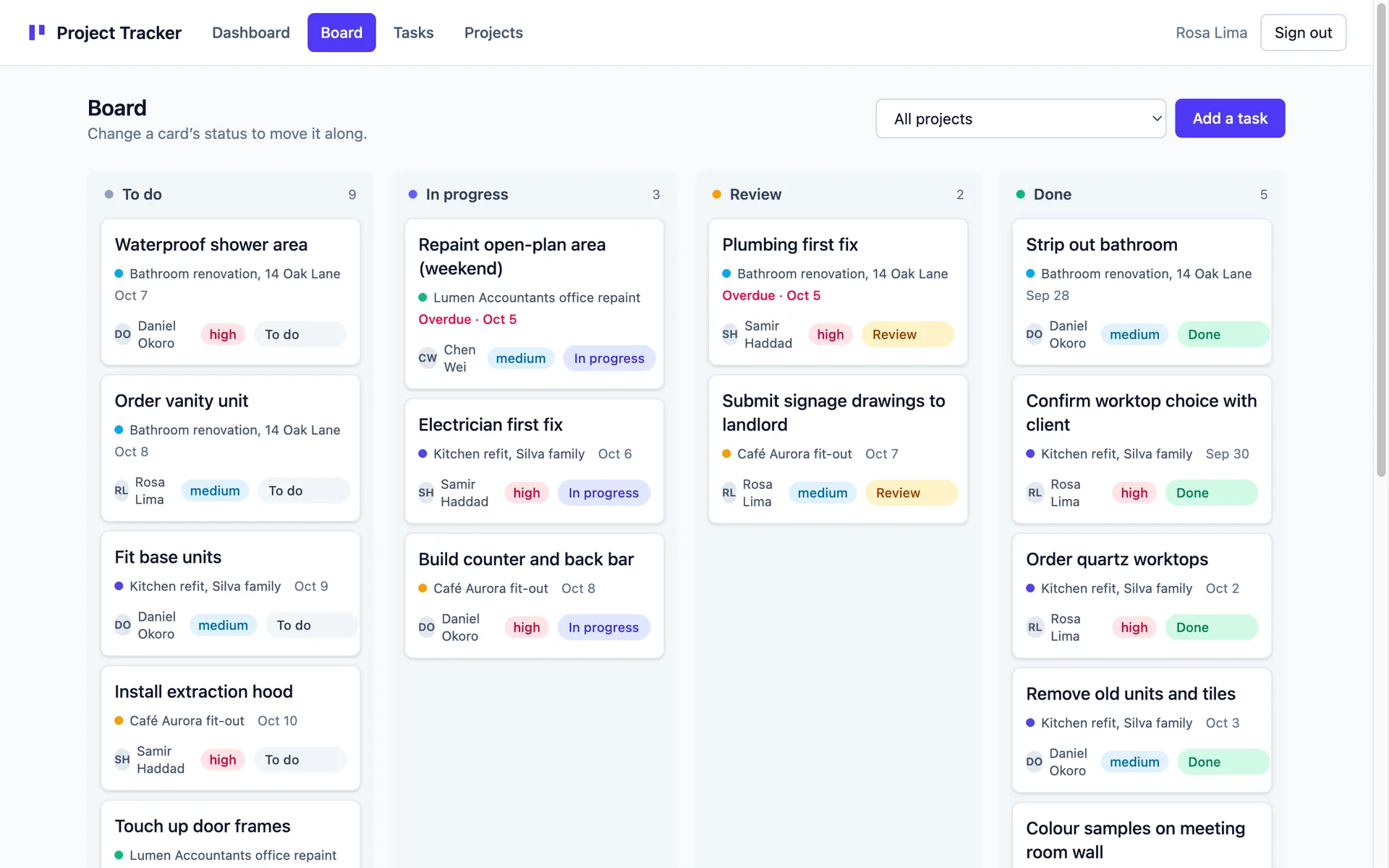
Kanban board with task cards grouped into To do, In progress, Review and Done columns
WebProject Managementagenciessaasprofessional-services
3 clones · 2 views

About this template

A shared project tracker for teams that have outgrown a spreadsheet but don't want a heavyweight tool.

Everyone on the team signs in and works from the same data: projects, tasks, statuses, assignees and due dates. There is no per-user silo — a task you create is a task your colleague can pick up, which is exactly what a team tool should do.

Four screens, no clutter

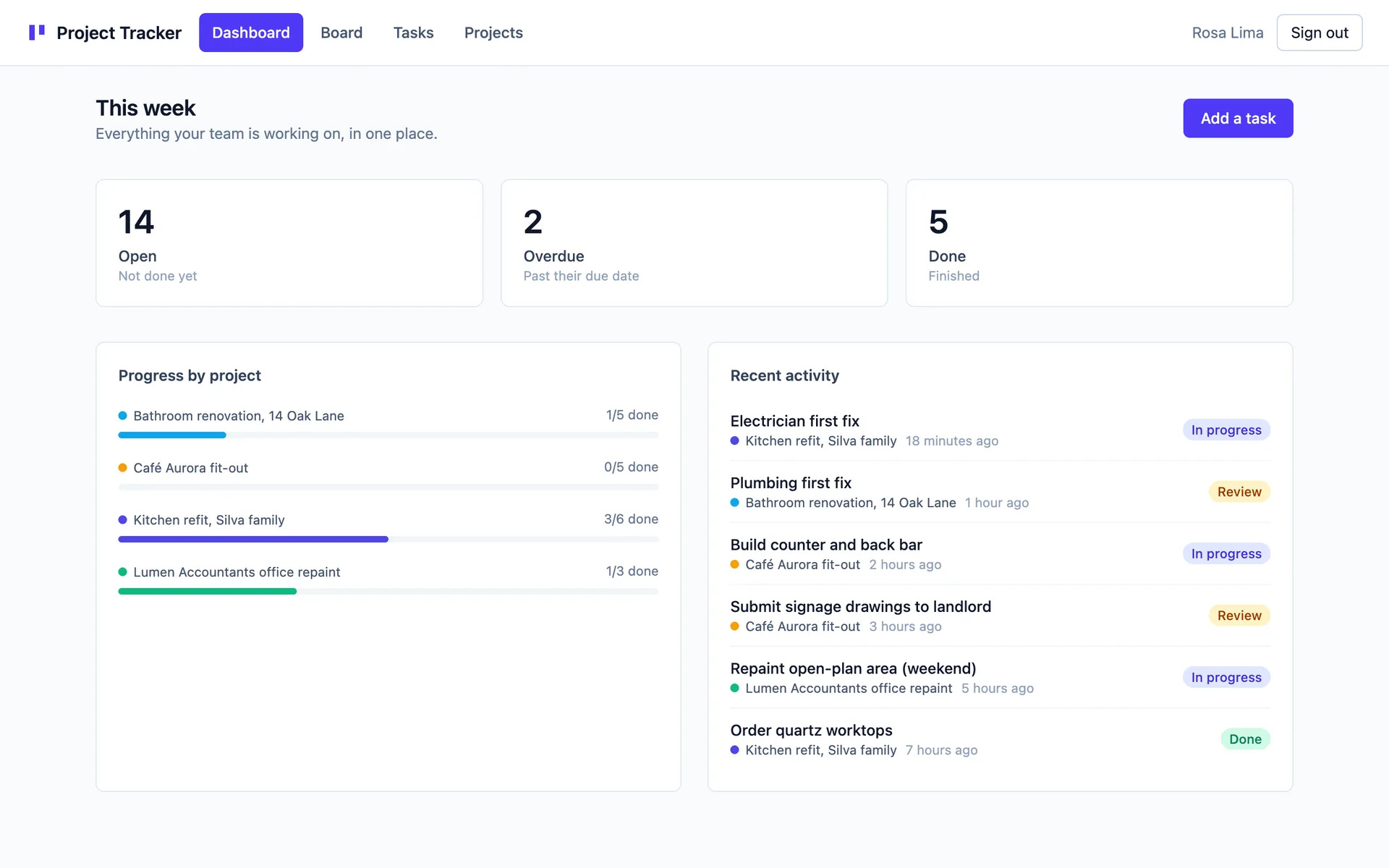
  • Dashboard — open, overdue and done counts at a glance, a per-project progress bar, and a recent-activity feed so you can see what moved since yesterday. Every count is a link into a pre-filtered task list.
  • Board — tasks laid out in To do / In progress / Review / Done columns. Move work forward with the status dropdown on each card; the board and every other screen update immediately. Filter the whole board down to one project.
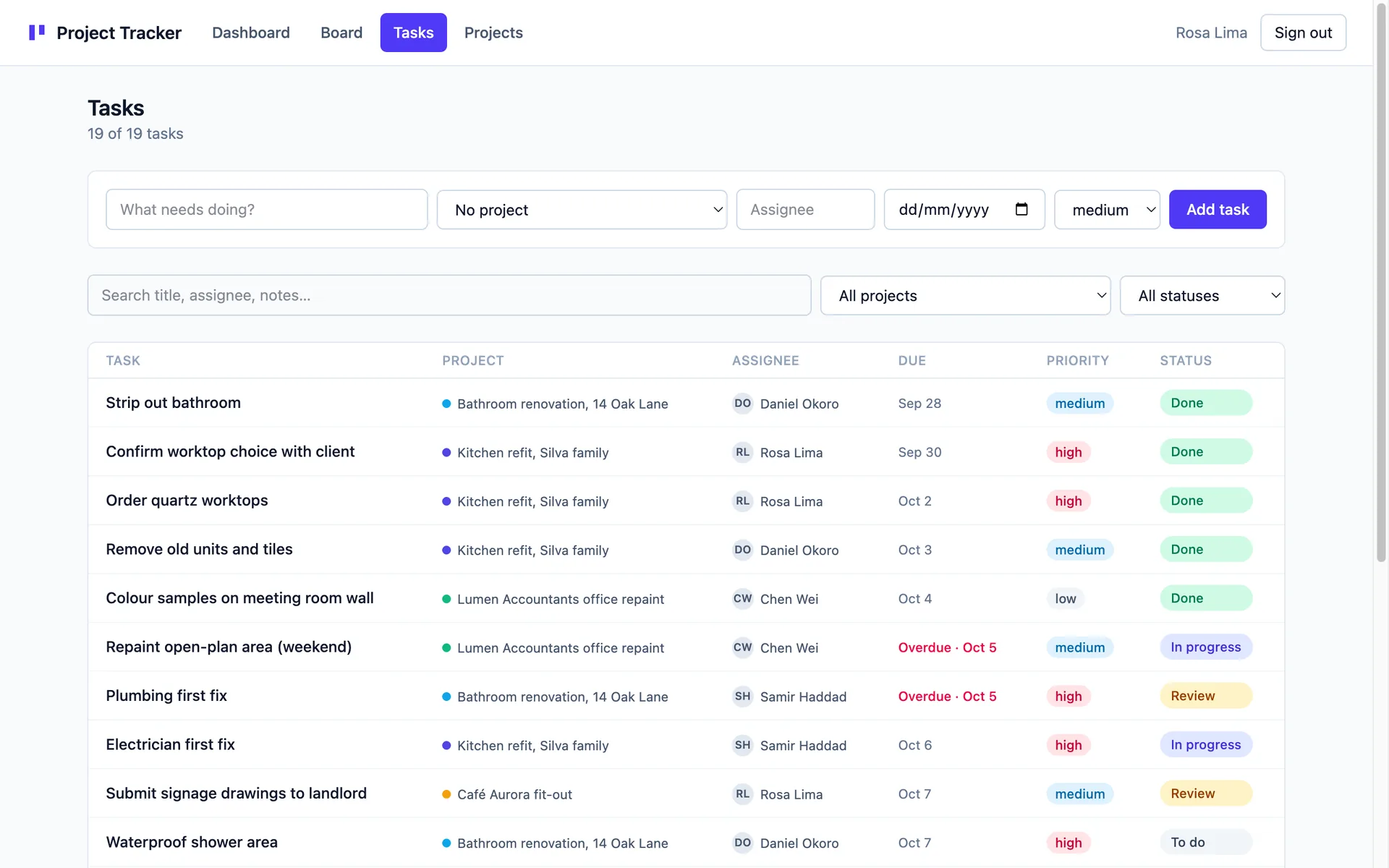
  • Tasks — a dense, filterable table. Filter by project, by status (including "open" and "overdue" shortcuts), or search titles, assignees and notes. Filters live in the URL, so a filtered view is a link you can paste into chat.
  • Projects — create projects, give each one a colour so it's recognisable everywhere, rename them, archive the finished ones, and see how many of their tasks are done.

Built to be edited

Every task has a detail page with the full record — title, project, status, priority, assignee, due date and notes — plus delete. Overdue tasks are flagged in red automatically from the due date, so nothing quietly slips.

Sign-in is already wired: email and password, magic link, and Continue with Google. Access rules are enforced on the server, not in the UI, so signed-out visitors can't read your data.

Clone it, sign up, and put your real work in. Then keep going: ask for time tracking, sprints, comments or a client-facing view and the app grows with you.

What's included

kanban-boardtasksprojectsstatusesassigneesdue-datesfiltersauthenticationteam-shared

Screenshots

Filterable task table with inline status dropdowns, priority chips, assignees and due dates
Dashboard with open, overdue and done counts, project progress bars and recent activity

Stack

React Router · DO SQLite (default) · Tailwind

Use this template →