Pricing
Português
← All templates

Help Desk Inbox

One shared inbox for support requests — tickets, assignees, statuses and replies.

Use this template →
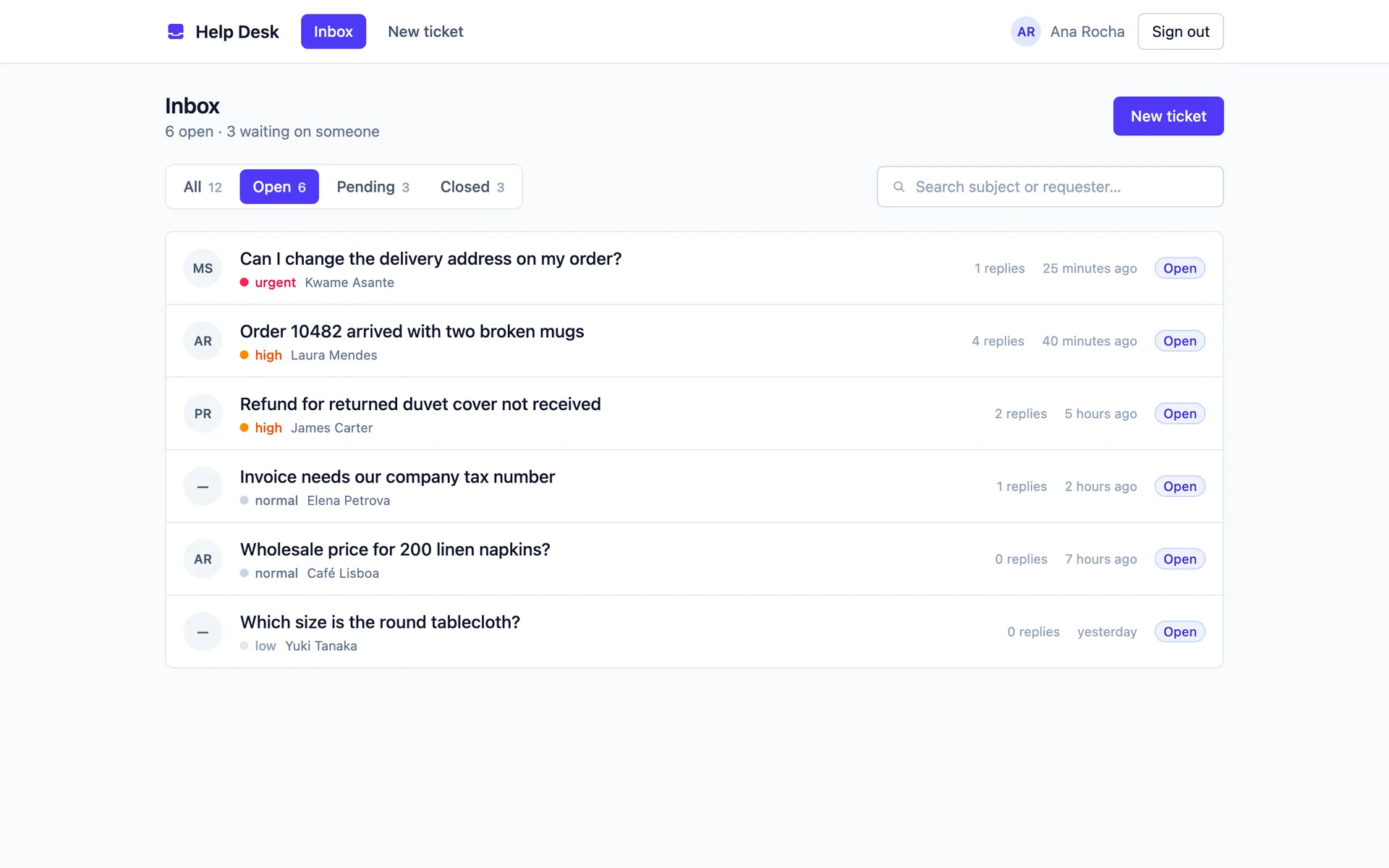
Ticket inbox filtered to open tickets, with priority badges, assignees and search
WebOperationssaasprofessional-servicesagencies
0 clones · 0 views

About this template

Every support request your team gets — an email, a WhatsApp message, a phone call taken at the counter — lands in one shared inbox instead of someone's personal mailbox. Nobody has to remember what they promised a customer.

One list that answers "what needs me now?" Tickets filter by Open, Pending or Closed, sort with the urgent ones on top, and search by subject, requester name or email. Every row shows who owns the ticket, how many replies it has had, and how long it has been waiting.

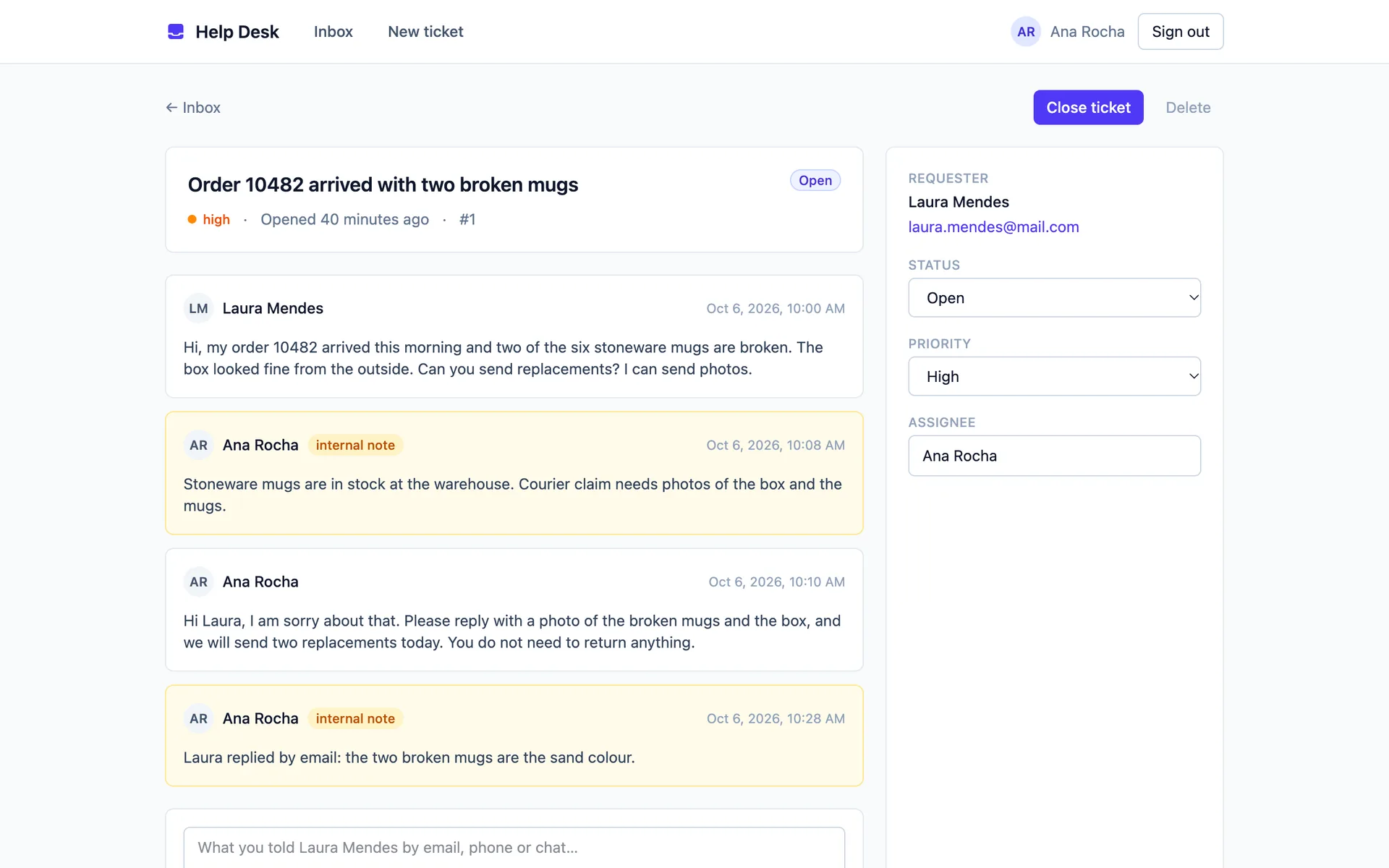
A thread per ticket, with internal notes. Open a ticket and you see the whole conversation in order. Reply to the requester, or tick "internal note" to leave context for a colleague — colour-coded so a private note never goes out to the customer by accident. Sending a public reply moves an open ticket to Pending, so the inbox always reflects who you are waiting on.

Assign, prioritise, close — in one click. Status, priority and assignee are dropdowns on the ticket itself, with an "Assign to me" shortcut. Edit your team list in one file (src/lib/tickets.ts) and every dropdown follows.

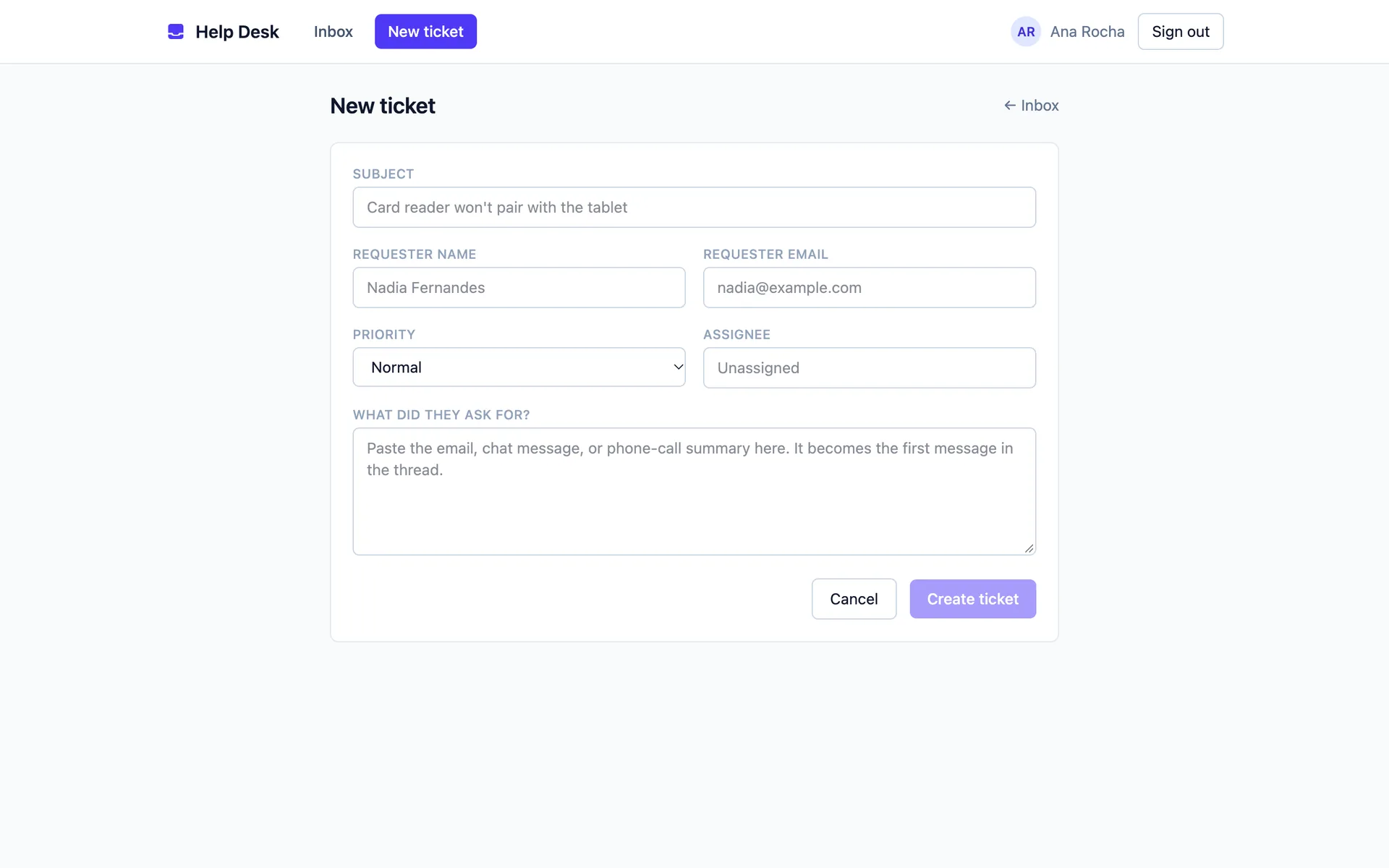
Logging a request takes seconds. The new-ticket form captures the subject, requester, priority, assignee and the original message, which becomes the first entry in the thread — pasting in an email is enough to get a request tracked.

Signed in and shared from the start. End-user auth ships switched on: email + password, magic link, and Continue with Google. Everyone who signs in works the same queue, which is what a support desk needs — no per-user data silos, no setup step after cloning.

Your clone starts clean: both tables are created empty, so the inbox opens on "Inbox zero" with a button to log the first request. There is no demo data to hunt down and delete before real tickets go in.

Good for internal IT and ops desks, agencies fielding client requests, and small SaaS teams handling support before a heavyweight tool earns its price.

What's included

ticketsinboxsupportassigneesprioritiesreply-threadsinternal-notesstatus-workflowauthenticationteam-shared

Screenshots

Ticket detail: reply thread with an internal note, plus status, priority and assignee controls
New ticket form capturing subject, requester, priority, assignee and the first message

Stack

React Router · DO SQLite (default) · Tailwind

Related templates

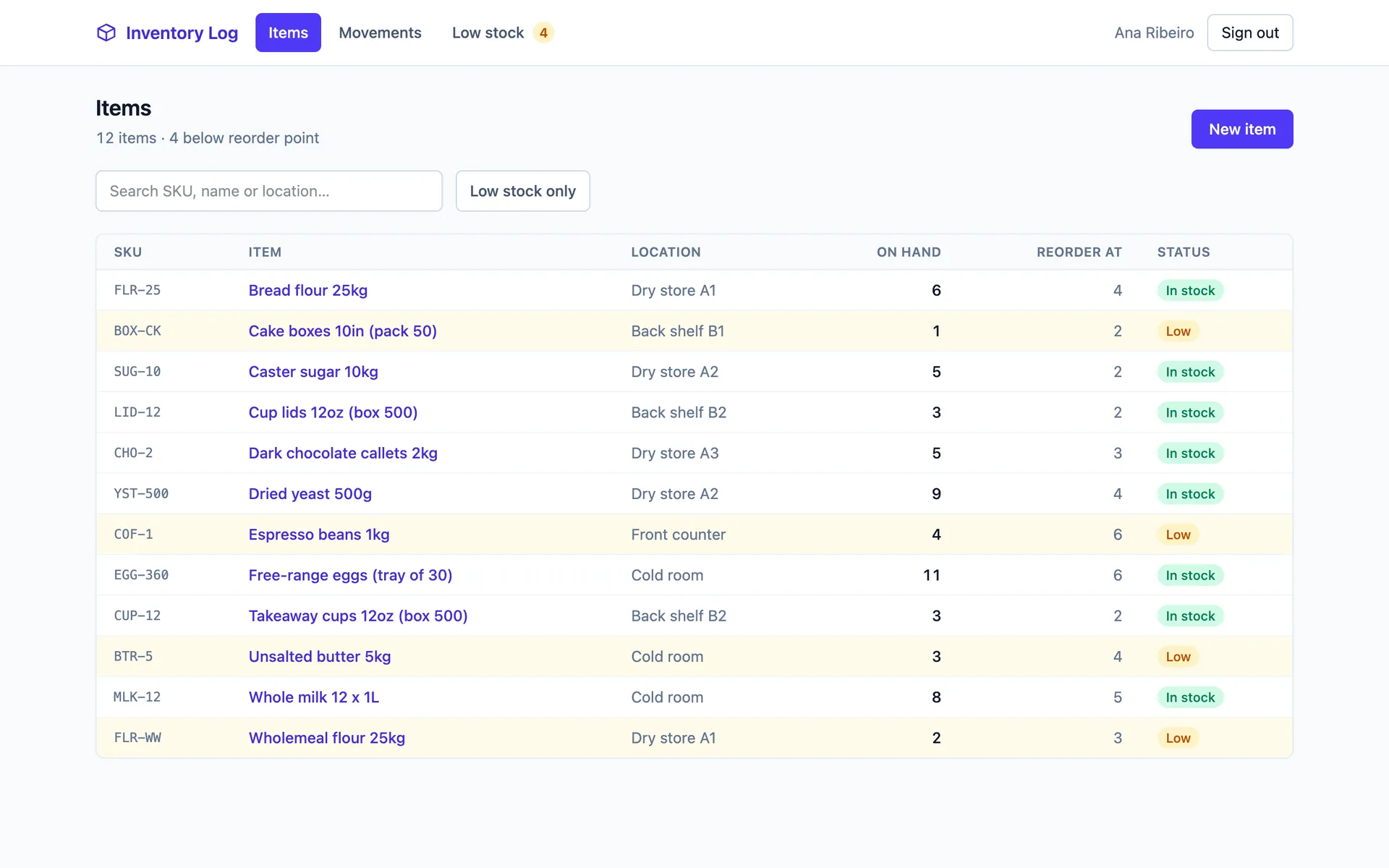
Item list showing SKU, name, location, quantity on hand and reorder point, with low-stock rows highlighted
WebOperations
Inventory Log

Track items, log every stock movement, and catch low stock before it costs you a sale.

Today screen listing assigned checklists with a completion progress bar on each
MobileOperations
Field Checklist

Run daily checklists on site — tick items, attach photo evidence, sign off.

Use this template →