Pricing
Português
← All templates

Hiring Pipeline

Move candidates from applied to hired, with interview notes on every profile.

Use this template →
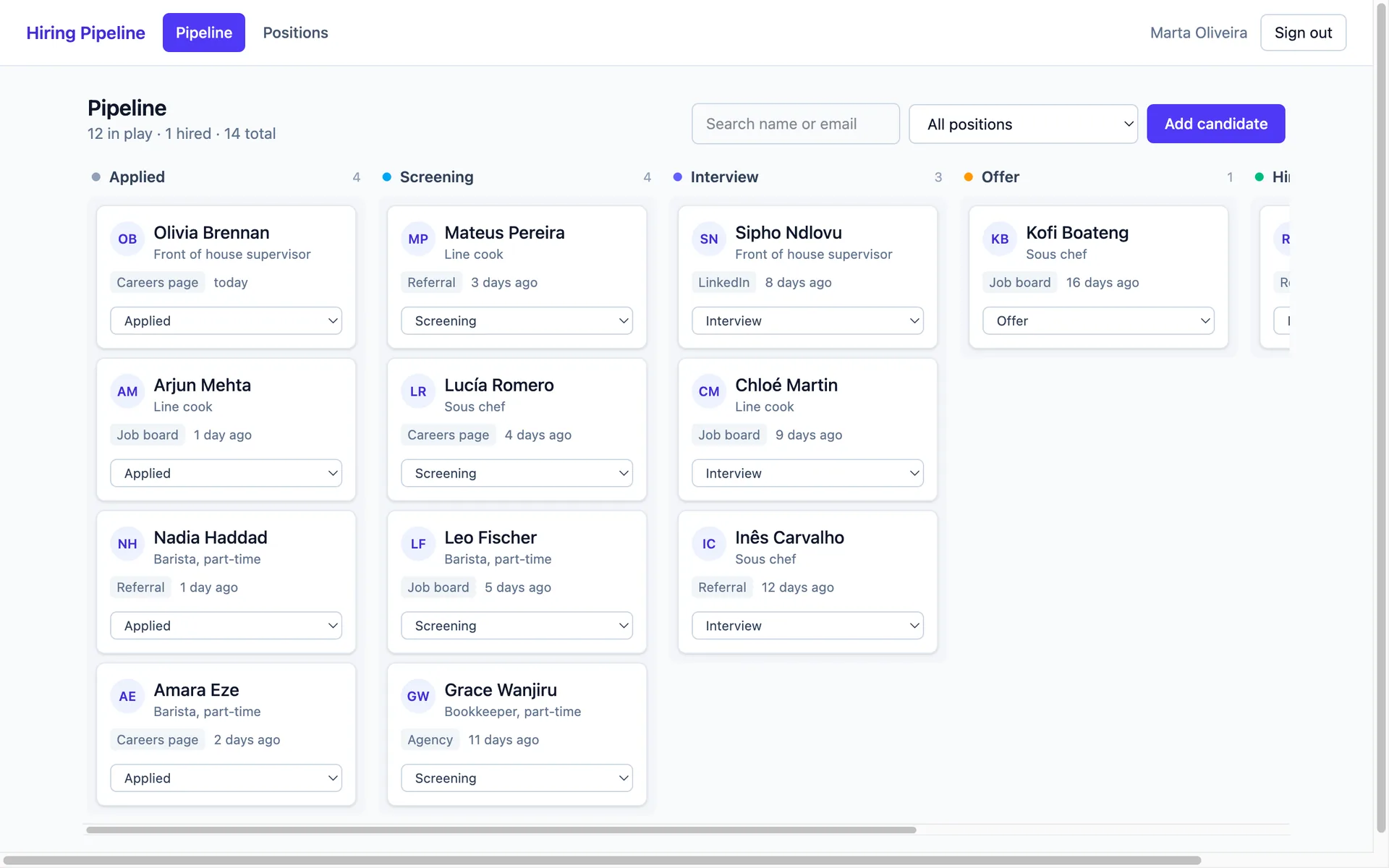
Pipeline board with candidate cards grouped into applied, screening, interview, offer, hired and rejected columns
WebHR & People Opsprofessional-servicesagenciessaas
0 clones · 0 views

About this template

Hiring falls apart in inboxes. Résumés sit in one thread, interview feedback in another, and nobody can say where a candidate actually stands. This template gives your team one shared board instead.

A board that matches how you hire. Candidates sit in six columns — applied, screening, interview, offer, hired, rejected — with a count on every column so you can see where the pipeline is thin and where it's clogged. Move someone forward from the card itself; no drag-and-drop training required, just pick the next stage.

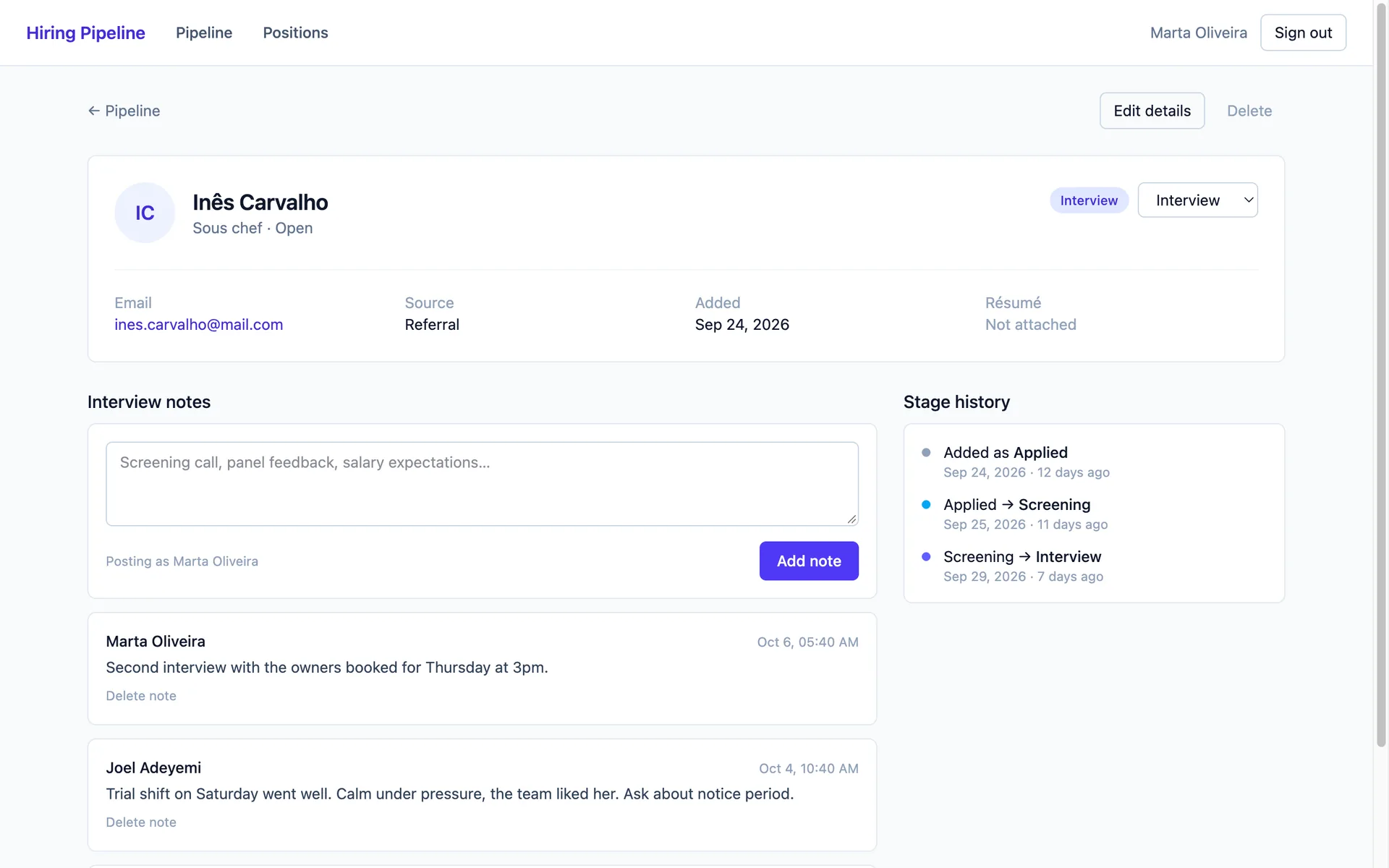
Every conversation on the profile. Each candidate page holds their position, source, email and résumé link, plus a running notes thread. Screening call feedback, panel debriefs, salary expectations — written where the next interviewer will actually find it. Stage history is recorded automatically, so you can see how long someone waited between screening and interview and stop losing good people to silence.

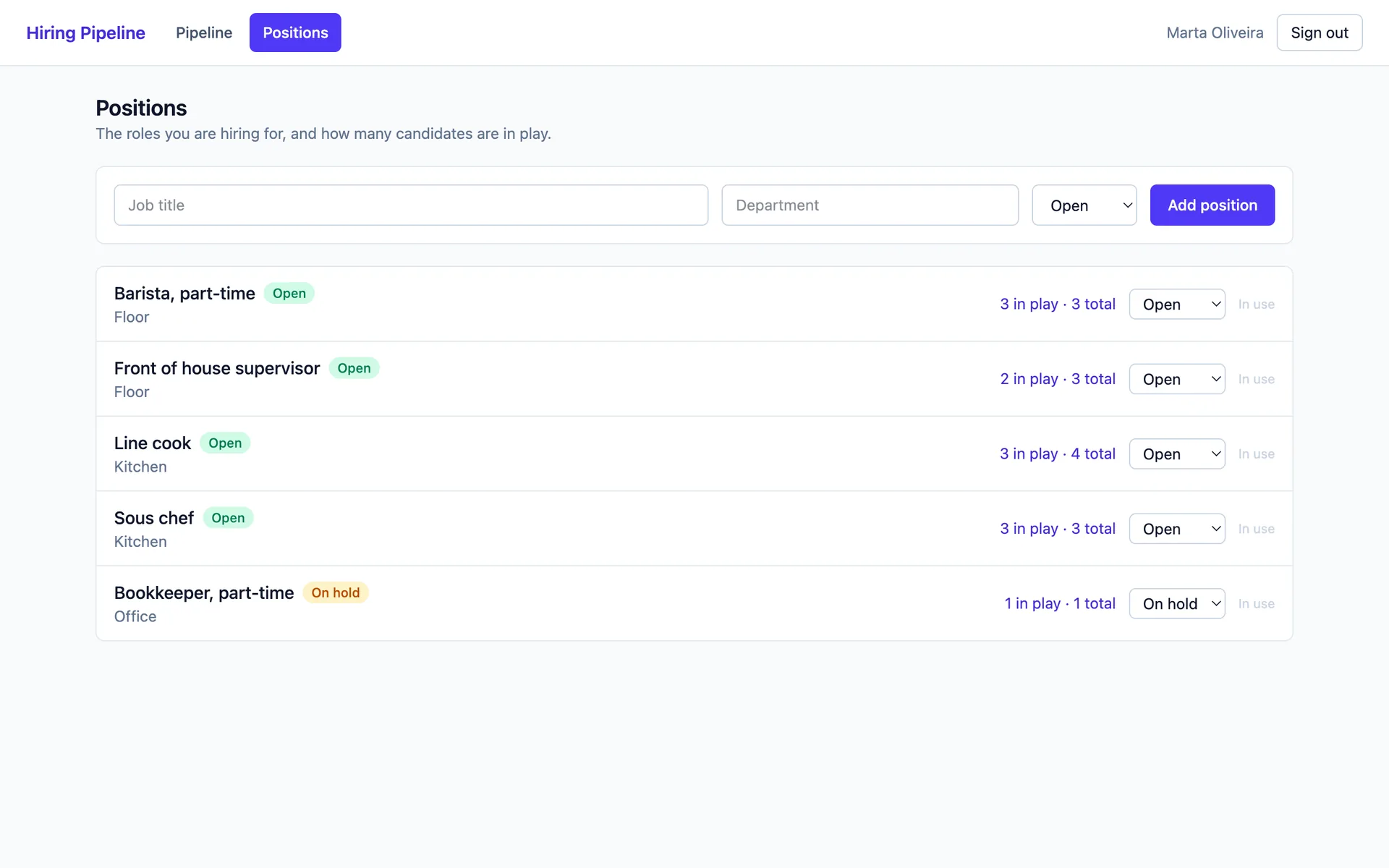
Positions you can plan around. Track open roles by department and mark them open, on hold or closed. Each role shows how many candidates are in play, so a hiring manager can see the shortlist without asking.

Shared with your team, closed to everyone else. Sign-in is built in — email and password, magic link, or Continue with Google. Everyone who signs in works from the same pipeline, and nobody outside it sees a thing.

Clone it, add your open roles, and paste in the candidates already sitting in your inbox. Then rename the stages, add a scorecard field, or wire an interview date — it's your app from the first minute.

What's included

candidatespipeline-boardinterview-notespositionsstage-historyauthenticationteam-shared

Screenshots

Candidate profile showing details, the interview notes thread and the automatic stage history timeline
Positions list with department, open or on-hold status and the number of candidates in play per role

Stack

React Router · DO SQLite (default) · Tailwind

Use this template →